- Difficulty
- Beginner
- Time
- 20 min
- Guidance reference
- App 0.2.0 beta · firmware 0.6.1 · PBLE/1
Historical screenshots retain the firmware versions and App state captured at the time; they have not been retaken on firmware 0.6.1.
Prerequisites
- A supported board, a data-capable USB cable, and an iPad
Outcomes
- Install the PyBLE app beta
- Provision the exact firmware profile safely
- Connect over Bluetooth and verify board identity
Release-aware guidance
Compatibility
The guidance reference above is not a promise about the installer currently being served. Confirm the active version, exact profile, and enabled action on the current firmware and flash page before provisioning or changing hardware.
Qualified firmware describes firmware evidence. The table below describes this lesson's scope; it does not turn designed compatibility into hardware validation.
| Firmware profile | Lesson scope |
|---|---|
Classic ESP32 (4 MiB)esp32-4mb | Designed for this profile |
ESP32-S3 N16R8 · lean genericesp32-s3-n16r8 | Designed for this profile |
Waveshare ESP32-S3-LCD-1.47Bwaveshare-esp32-s3-lcd-147b | Designed for this profile |
ESP32-C3 (4 MiB)esp32-c3-4mb | Designed for this profile |
Raspberry Pi Pico 2 Wrpi-pico2-w | Designed for this profile |
The five profile identities are stable, but availability comes from the active release. The generic ESP profiles describe memory and runtime constraints, not a carrier-board pin map.
Before you begin
Have the exact board, a reliable data-capable USB cable, a desktop or laptop that can perform the wired install, stable power, and PyBLE installed on your tablet. Use TestFlight for iPad or Google Play open testing for Android. Stock MicroPython alone does not provide PBLE/1.
Match profile and provisioning method
- ESP32 · 4 MiB
- Select
esp32-4mbonly for a classic ESP32 with 4 MiB external SPI flash and no assumed PSRAM; install with ESP Web Serial. - ESP32-S3 · N16R8
- Select
esp32-s3-n16r8only for 16 MiB flash and 8 MiB Octal PSRAM; install the lean generic image with ESP Web Serial. - Waveshare ESP32-S3-LCD-1.47B
- Confirm the exact B-version with 16 MiB flash and 8 MiB Octal PSRAM, then select its separate profile and use ESP Web Serial. The shared ESP32-S3 chip token does not make the lean image interchangeable.
- ESP32-C3 · revision v0.3+
- Select
esp32-c3-4mbonly for revision v0.3+ with 4 MiB external SPI flash; install with ESP Web Serial. - Raspberry Pi Pico 2 W
- Hold BOOTSEL while connecting USB, copy the exact Pico 2 W UF2 to the mounted volume, and let the board restart.
Five boards, five observed sessions
Each pair preserves the Ready board ID and read-only runtime token observed after connecting. Profile associations come from the maintained physical-session record, not from the token alone.
PyBLE-5646 Generic ESP32-S3 · N16R8
Ready observation Runtime token ·
esp32-s3
Maintained physical-session record: generic ESP32-S3. The shared runtime token does not identify a carrier or provisioning profile.
PyBLE-8C9E Generic ESP32 · 4 MiB
Ready observation Runtime token ·
esp32
Maintained physical-session record: classic ESP32. The app observation does not prove flash capacity or a carrier pinout.
PyBLE-C81A Generic ESP32-C3 · 4 MiB
Ready observation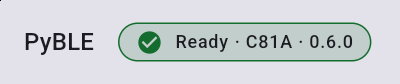 Runtime token ·
esp32-c3
Maintained physical-session record: ESP32-C3. Revision, flash capacity, and pin choices still come from the physical board record and exact documentation.
PyBLE-DA86 Waveshare ESP32-S3-LCD-1.47B
Ready observation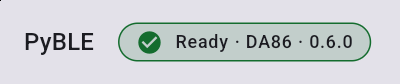 Runtime token ·
esp32-s3
Maintained physical-session record: exact Waveshare B-version. Its esp32-s3 token alone does not prove this carrier or its firmware profile.
PyBLE-3DCB Raspberry Pi Pico 2 W
Ready observation Runtime token ·
rpi-pico2-w
Maintained physical-session record: exact Pico 2 W. Keep the physical marking and UF2 installer record as the profile evidence.
If discovery or identity fails
Power-cycle once, keep the board near the tablet, release any other BLE connection, and scan again. A boot loop, implausible storage, missing PSRAM, absent PyBLE- advertisement, or wrong identity is a reason to stop—not a reason to try random profiles. Return to the firmware selector and re-check the physical markings before using the issue checklist.
Follow in order
Tutorial steps
Back up the board and identify the exact profile
Copy off anything you need before flashing because installation can erase the board. Read the module marking, flash and PSRAM capacity, carrier model, and hardware revision; then match all of them to one profile on the installer. Similar names are not enough.
Stop if: the memory size, PSRAM type, carrier suffix, or revision does not match one exact profile.
Provision with the profile's wired method
On a compatible desktop browser, open the current firmware page. Select the exact profile, review the active release and erase warning, connect a data-capable cable, and start the enabled action. For Pico 2 W, use its UF2 file and BOOTSEL flow instead of Web Serial.
Expected: the installer reports completion for the selected profile, or the Pico volume accepts the exact UF2 and restarts.
Move from the cable to Bluetooth
Disconnect the provisioning cable if desired, power-cycle the board, and wait for its agent to start. Open PyBLE on the tablet, allow Bluetooth access, scan for a nearby name beginning with PyBLE-, and tap that board to connect.
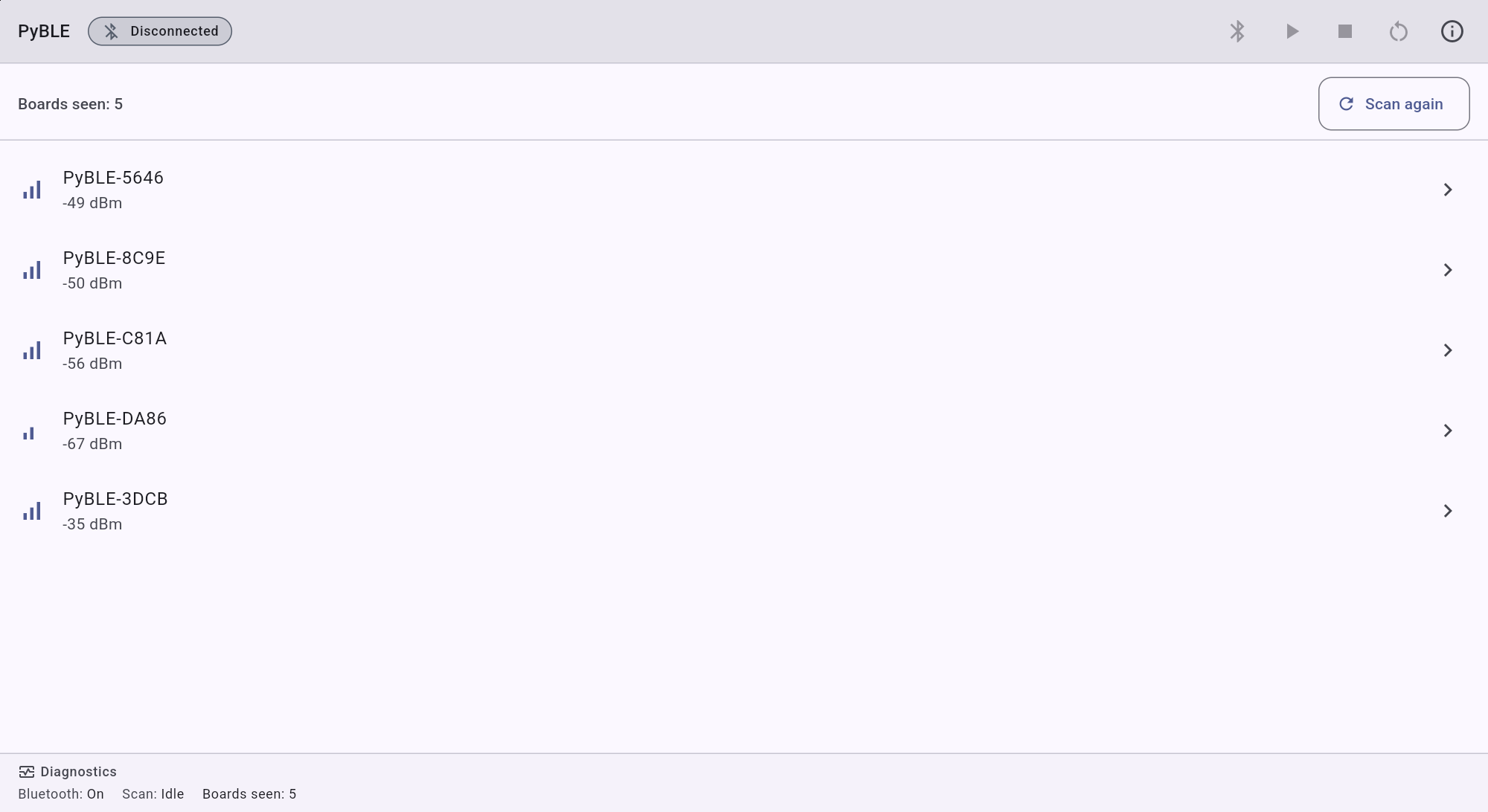
Actual Android tablet · Lenovo TB-J616XBluetooth discovery · five nearby agents · scan stopped Expected: the scan shows one PyBLE-… advertisement and the app reaches its connected workspace.
Verify identity before writing code
Compare your recorded installer selection and physical board with the connected board ID, agent firmware version, chip family, and MicroPython version. DeviceInfo does not report or authorize a provisioning profile, and a chip name cannot distinguish an exact carrier. Keep both the installer record and reported identity with any later problem report.
Stop if: a reported field is absent or inconsistent with the physical board and your recorded installer selection.
Need recovery help?
Stop at the current step, record the exact profile, board identity, app and firmware versions, and the first useful error. Then use the PyBLE support and recovery guide.