- Difficulty
- Beginner hardware
- Time
- 25 min
- Guidance reference
- App 0.2.0 beta · firmware 0.6.1 · PBLE/1
Historical screenshots retain the firmware versions and App state captured at the time; they have not been retaken on firmware 0.6.1.
Prerequisites
- An exact Waveshare ESP32-S3-LCD-1.47B provisioned with its exact profile
Outcomes
- Use the frozen display runtime and fixed board wiring
- Run bounded display examples for the exact B version
- Control the exact board's GPIO38 onboard pixel separately
Release-aware guidance
Compatibility
The guidance reference above is not a promise about the installer currently being served. Confirm the active version, exact profile, and enabled action on the current firmware and flash page before provisioning or changing hardware.
Qualified firmware describes firmware evidence. The table below describes this lesson's scope; it does not turn designed compatibility into hardware validation.
| Firmware profile | Lesson scope |
|---|---|
Classic ESP32 (4 MiB)esp32-4mb | Not applicable |
ESP32-S3 N16R8 · lean genericesp32-s3-n16r8 | Not applicable |
Waveshare ESP32-S3-LCD-1.47Bwaveshare-esp32-s3-lcd-147b | Exact board only |
ESP32-C3 (4 MiB)esp32-c3-4mb | Not applicable |
Raspberry Pi Pico 2 Wrpi-pico2-w | Not applicable |
This is an exact-board-only lesson. The lean ESP32-S3 N16R8 image does not include the display runtime, companion, fixed carrier wiring, or onboard-pixel claim.
Before you begin
Remove external wiring, complete Hardware safety, and inspect the exact board label and schematic. The non-B LCD-1.47 and other ESP32-S3 carriers use different wiring; a shared MCU family does not make them compatible with this lesson.
Two S3 boards report the same runtime token
Board 5646 is the generic ESP32-S3 in the maintained physical-session record; board DA86 is the exact Waveshare B-version. The shared esp32-s3 runtime token does not distinguish a firmware profile, so use the physical marking and installer record before exact-board code.
PyBLE-5646 Generic ESP32-S3 · N16R8
Ready observation Runtime token ·
esp32-s3
Maintained physical-session record: generic ESP32-S3. The shared runtime token does not identify a carrier or provisioning profile.
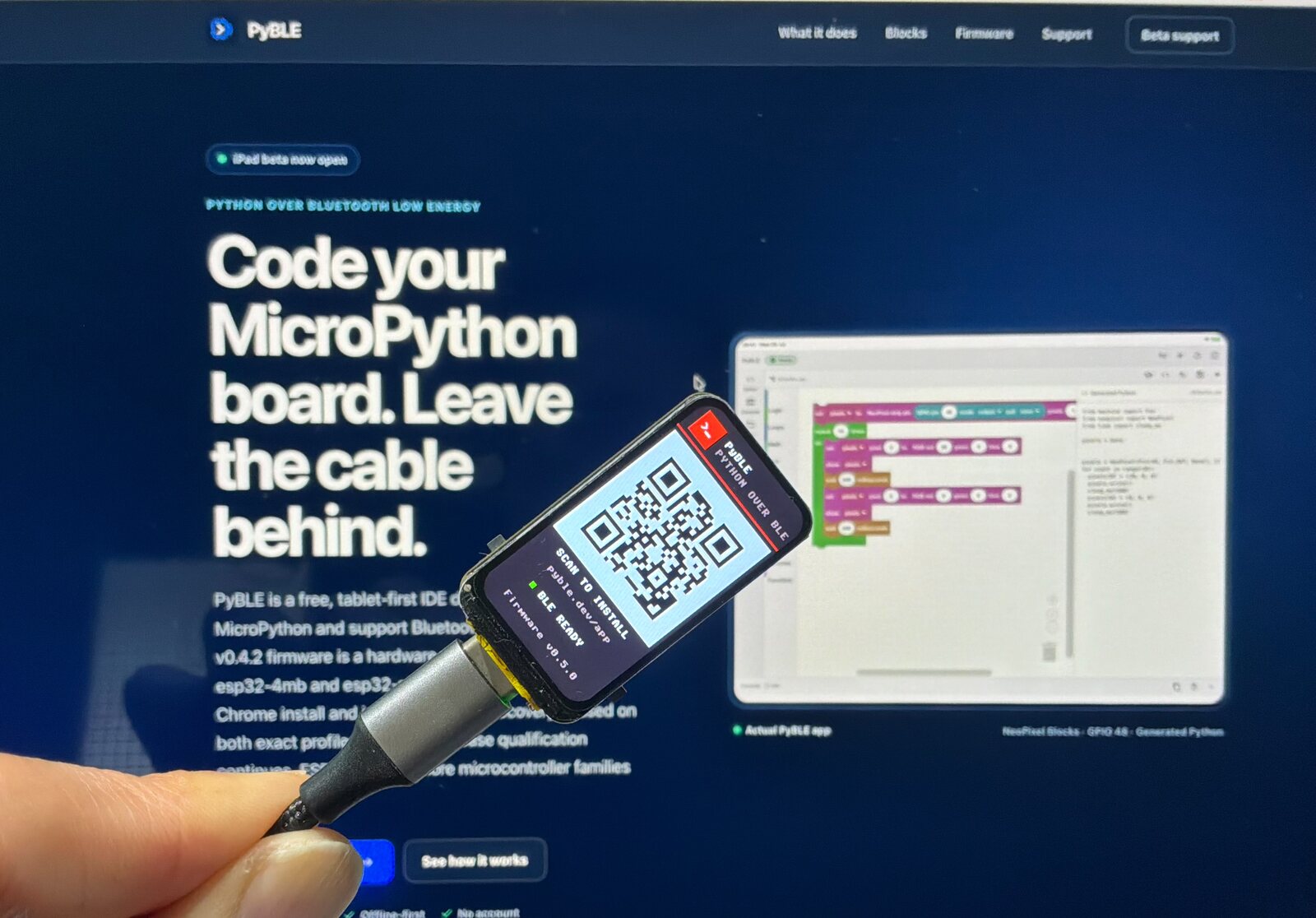
PyBLE-DA86 Waveshare ESP32-S3-LCD-1.47B
Ready observation Runtime token ·
esp32-s3
Maintained physical-session record: exact Waveshare B-version. Its esp32-s3 token alone does not prove this carrier or its firmware profile.
Exact immutable sources
These four entries are development-only and not HIL-validated. Their immutable source remains in the examples repository.
Follow in order
Tutorial steps
Verify the complete B-version identity
Read the physical product marking and confirm the exact Waveshare ESP32-S3-LCD-1.47B B-version with 16 MiB flash and 8 MiB Octal PSRAM. Confirm your own installer record names
waveshare-esp32-s3-lcd-147b, then verify board ID, agent firmware, chip, and MicroPython are consistent. DeviceInfo does not report the provisioning profile, and ESP32-S3 identity cannot distinguish this exact carrier from the lean generic S3 target.Stop if: the label omits the B suffix, the memory topology or installer record differs, or any reported identity field is inconsistent with the recorded installation.
Confirm the exact runtime before touching display pins
The exact image bundles
pyble_st7789and the namedpyble_waveshare_lcd147bcompanion. The example checks the companion before configuring GPIO. An import failure is an identity or firmware problem, not a reason to paste the modules onto another image.Expected: the exact profile exposes both modules before the reviewed example performs any display setup.
Review the fixed display wiring
The built-in panel uses fixed display wiring: SPI1 at 40 MHz with SCLK GPIO40, MOSI GPIO45, CS GPIO42, D/C GPIO41, reset GPIO39, and active-high backlight GPIO46. Its visible ST7789V3 surface is 172 × 320 with X offset 34. Do not edit these GPIO values or connect external hardware to them.
Stop if: your schematic, exact board label, or selected firmware disagrees with any fixed role.
Import and inspect Waveshare LCD Hello
Pin the examples repository to the reviewed commit, browse the exact Waveshare LCD Hello folder, and import its Python file into a disposable child directory. Read the exact-board guard, fixed setup, hold-time bound, draw function, and cleanup before Run.
Expected: the imported file remains closed until you open it and the review shows a finite three-second frame with backlight-off cleanup.
Run one bounded display frame
Verify identity again, choose Run explicitly, and watch both display and Console. The backlight should turn on only after the frame is ready. At completion or Stop, the example turns the backlight off and deinitializes the display.
Expected: a bounded PyBLE hello frame appears on the exact panel, then the backlight turns off and display resources are released.
Change one safe visual value
Try the documented hold-time change or alter one word or color inside the draw function. Do not change fixed GPIO, geometry, offset, SPI mode, or cleanup. Save and Run explicitly, then confirm the screen finishes dark.
Stop if: the edit changes fixed board setup, removes duration validation, retains the framebuffer, or leaves the backlight on.
Treat the onboard pixel as a separate exact surface
The board's onboard WS2812-compatible pixel uses GPIO38; the display runtime does not initialize it. Review the Onboard Pixel example, verify its exact-board confirmation remains required, keep each channel dim and its sequence finite, then ensure cleanup writes off and leaves GPIO38 low.
Expected: the onboard pixel shows only the bounded dim sequence and finishes off without changing display wiring.
Need recovery help?
Stop at the current step, record the exact profile, board identity, app and firmware versions, and the first useful error. Then use the PyBLE support and recovery guide.