- Difficulty
- Beginner
- Time
- 15 min
- Guidance reference
- App 0.2.0 beta · firmware 0.6.1 · PBLE/1
Historical screenshots retain the firmware versions and App state captured at the time; they have not been retaken on firmware 0.6.1.
Prerequisites
- A connected board with an /examples directory
Outcomes
- Review and import selected public Python files
- Pin an immutable commit instead of relying on a moving branch
- Understand GitHub request, rate-limit, and execution boundaries
Release-aware guidance
Compatibility
The guidance reference above is not a promise about the installer currently being served. Confirm the active version, exact profile, and enabled action on the current firmware and flash page before provisioning or changing hardware.
Qualified firmware describes firmware evidence. The table below describes this lesson's scope; it does not turn designed compatibility into hardware validation.
| Firmware profile | Lesson scope |
|---|---|
Classic ESP32 (4 MiB)esp32-4mb | Development example — physical validation not recorded |
ESP32-S3 N16R8 · lean genericesp32-s3-n16r8 | Development example — physical validation not recorded |
Waveshare ESP32-S3-LCD-1.47Bwaveshare-esp32-s3-lcd-147b | Development example — physical validation not recorded |
ESP32-C3 (4 MiB)esp32-c3-4mb | Development example — physical validation not recorded |
Raspberry Pi Pico 2 Wrpi-pico2-w | Development example — physical validation not recorded |
This source snapshot is designed for stated profiles but remains development-only, unreleased, and not HIL-validated. Its official repository name grants no elevated trust; review every target and every source file before Run.
Before you begin
This lesson uses public source at immutable commit 8f4529b3cd0d62e8d53d7deb4f37e5cd2a171fd1. The mutable mainbranch is useful for branch discovery, while the full pinned commit is the reproducible review point.
Import boundaries
Only ordinary lowercase .py direct files from one folder can be selected. Chosen basenames are flattened into the current board directory; the GitHub directory tree is not recreated. Create the destination before import, and remember that import has no automatic open or Run step.
Immutable source for this lesson
The complete runnable source remains in the examples repository. Open the exact reviewed snapshot in a browser if you want an independent comparison.
View Hello Console at commit 8f4529b3cd0d…Follow in order
Tutorial steps
Create the destination before opening import
In Files, create and enter
/examplesbefore opening the importer. GitHub import does not create board directories. Keep this dedicated destination visible rather than writing at the board root.Expected: the Files breadcrumb shows exactly
/examples.Review the editable repository URL
Open Import examples from GitHub. The repository URL starts as the editable official default
https://github.com/PyBLE-dev/examples. Keep that canonical repository URL for this exercise; a GitHub blob URL is not a repository URL and must not be pasted into the field.Expected: the importer shows the canonical public repository and does not ask for a GitHub account or token.
Distinguish discovery from provenance
In Branch mode, load the chooser and observe that it lists only branches. Select
mainto understand branch discovery, but do not use that moving name as this lesson's reproducibility identity. Choose Use a tag or commit, then enter the full 40-character commit below.8f4529b3cd0d62e8d53d7deb4f37e5cd2a171fd1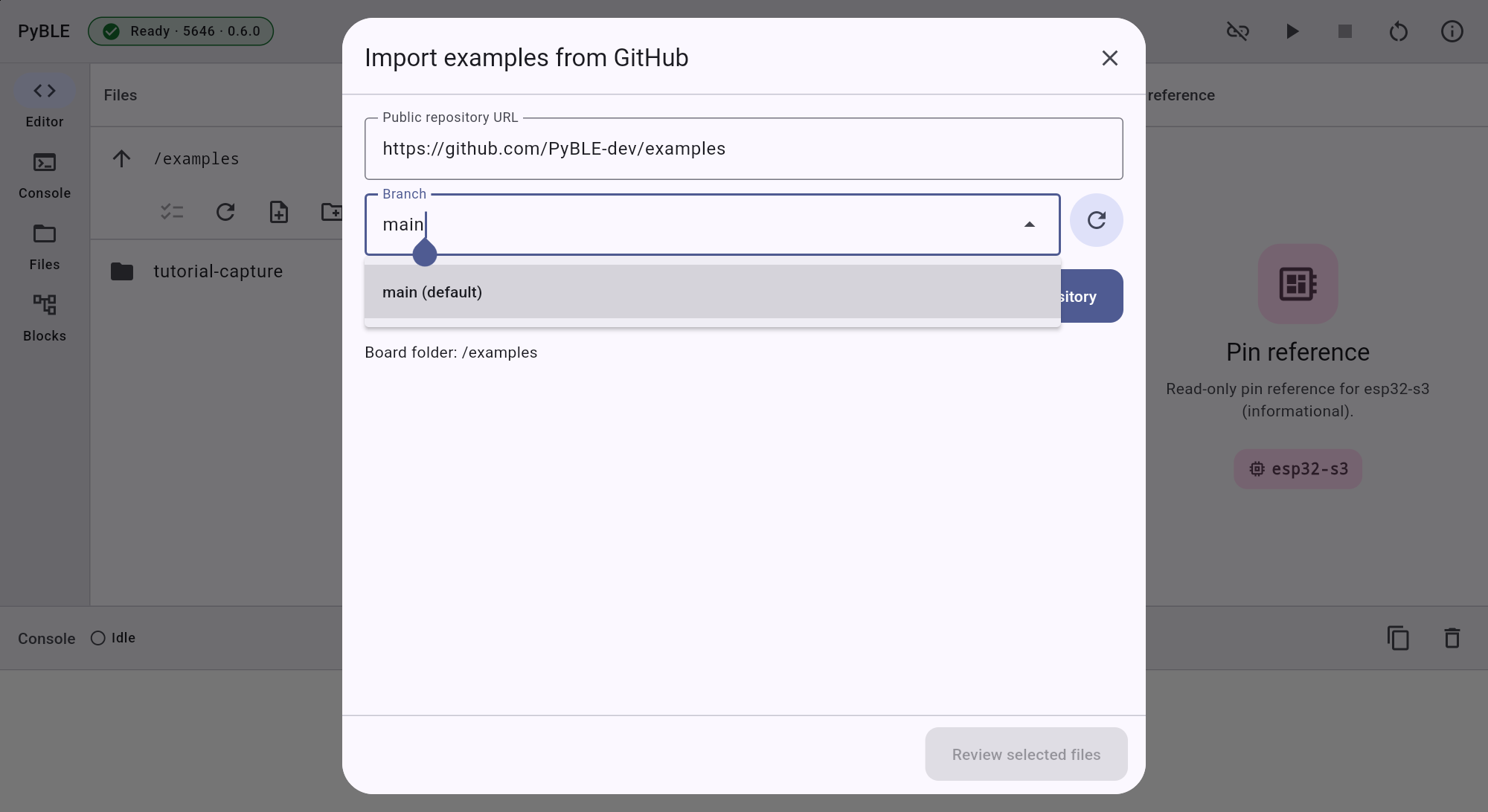
Actual Android tablet · Lenovo TB-J616XGitHub import · editable URL and branches-only discovery Expected: the importer resolves and displays the same full immutable commit before browsing files.
Browse one source folder and select the file
Browse to
examples/portable/basics/hello_console. Select the displayed ordinary lowercase.pyentrypyble_hello_console.py. The bounded importer accepts selected direct regular Python files from one shown GitHub folder, not a recursive tree.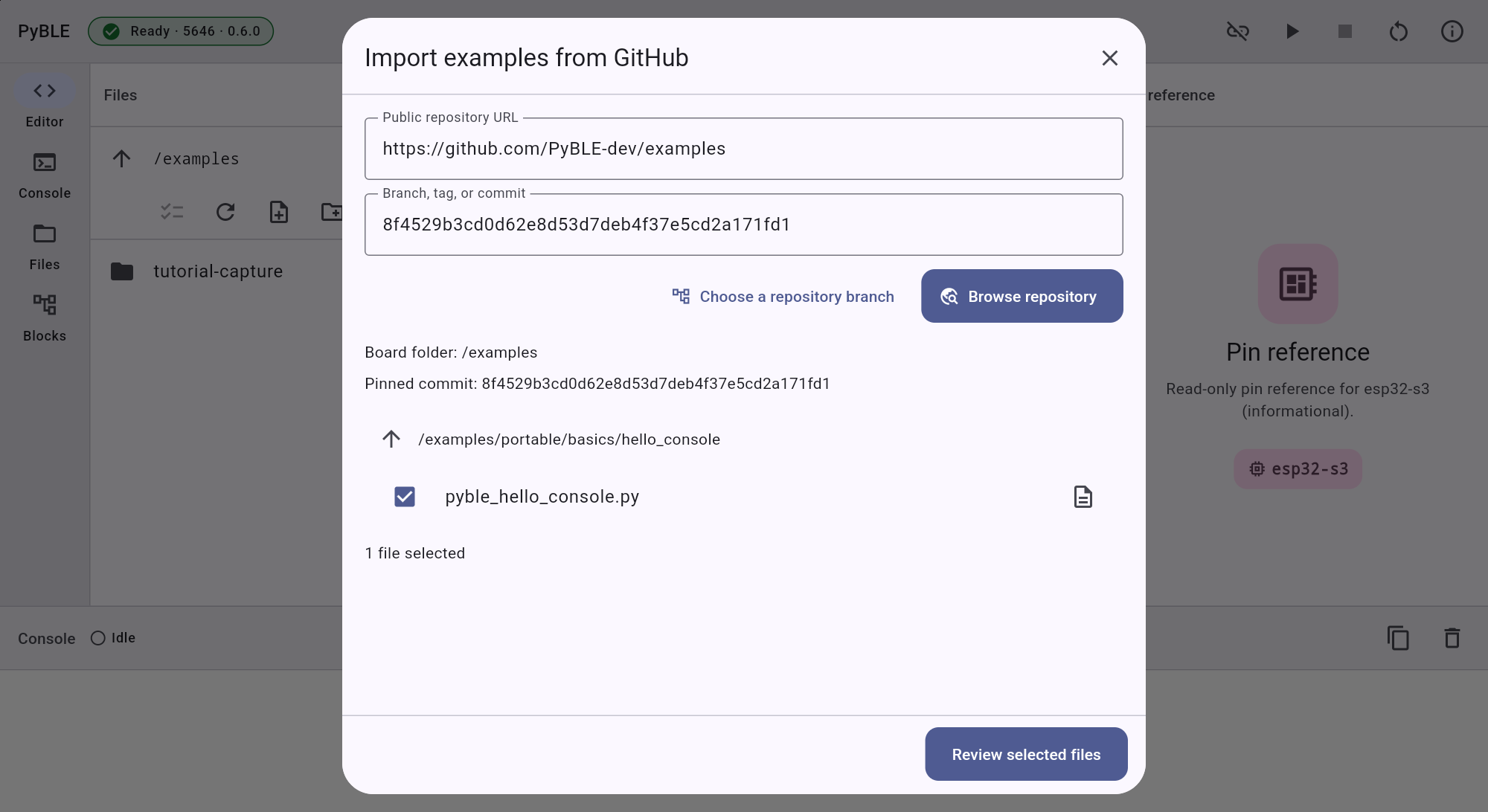
Actual Android tablet · Lenovo TB-J616XGitHub import · full pinned commit and selected source Expected: the review contains one pinned source path and one derived board target, with no hidden descendants.
Verify exact source, target, and overwrite state
Confirm the source names the full commit and the folder above. Confirm that the basename is flattened into the current board directory as
/examples/pyble_hello_console.py. If the target exists, inspect it and grant the separate overwrite consent only when replacing it is intentional.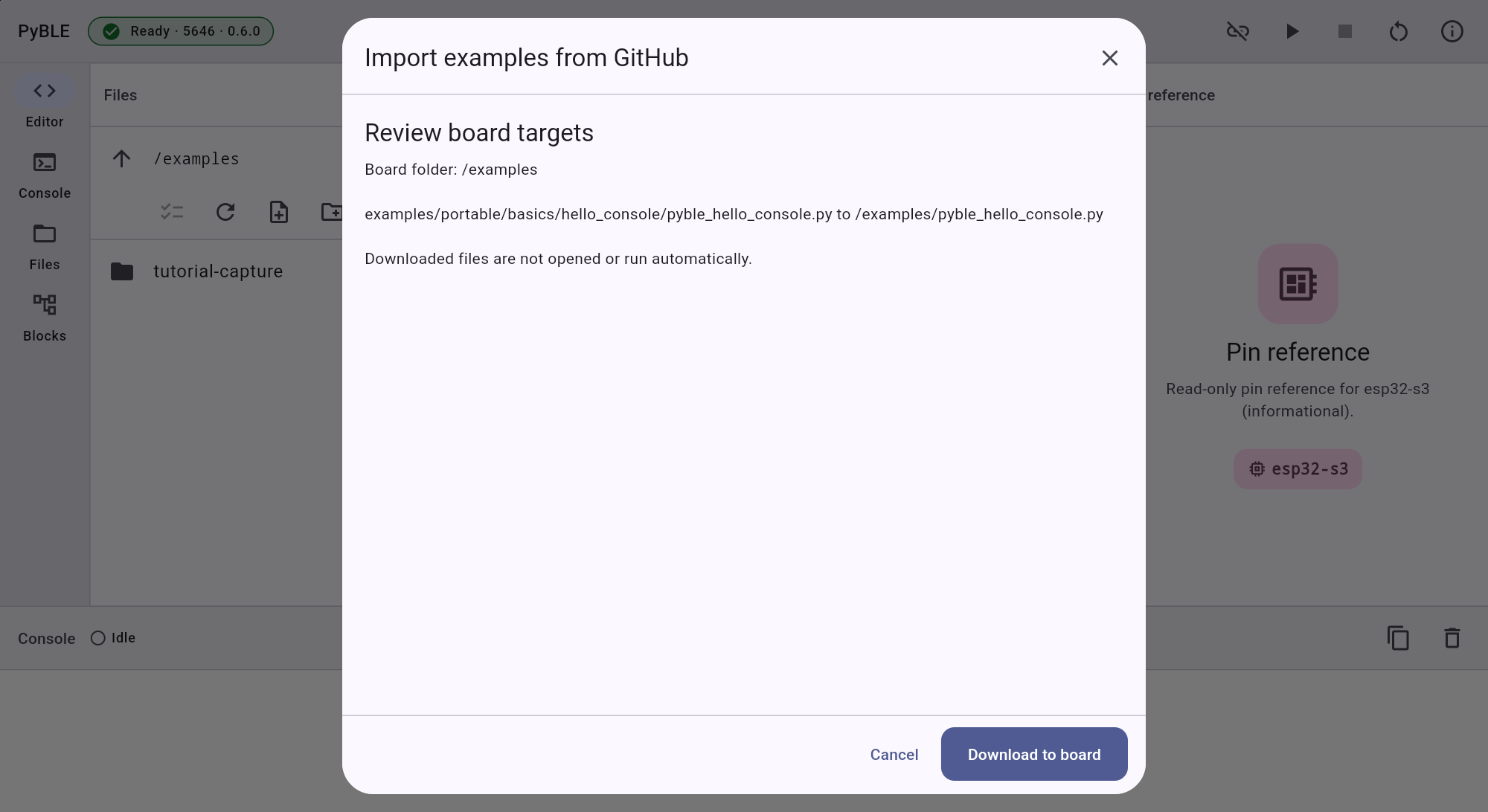
Actual Android tablet · Lenovo TB-J616XGitHub import · exact source and target before write Stop if: the source commit, source folder, current directory, filename, or overwrite state differs from your review.
Import and interpret the terminal result
Choose Download to board once, or choose Overwrite and download only after reviewing every existing target. PyBLE fetches and validates the selected content before board writes, then writes targets sequentially. A multi-file import is not atomic: after a first failure or session change, completed writes remain and later targets are reported unattempted.
Expected: the terminal result names the exact written target, and the refreshed Files list agrees with that result.
Open, review, and run as separate choices
Close the import result, find the imported file in Files, open it, read all source, and only then choose Run if its behavior is acceptable. The importer does not automatically open, save, or run imported code.
Expected: nothing executes until you explicitly open, review, and choose Run in the connected workspace.
Need recovery help?
Stop at the current step, record the exact profile, board identity, app and firmware versions, and the first useful error. Then use the PyBLE support and recovery guide.